
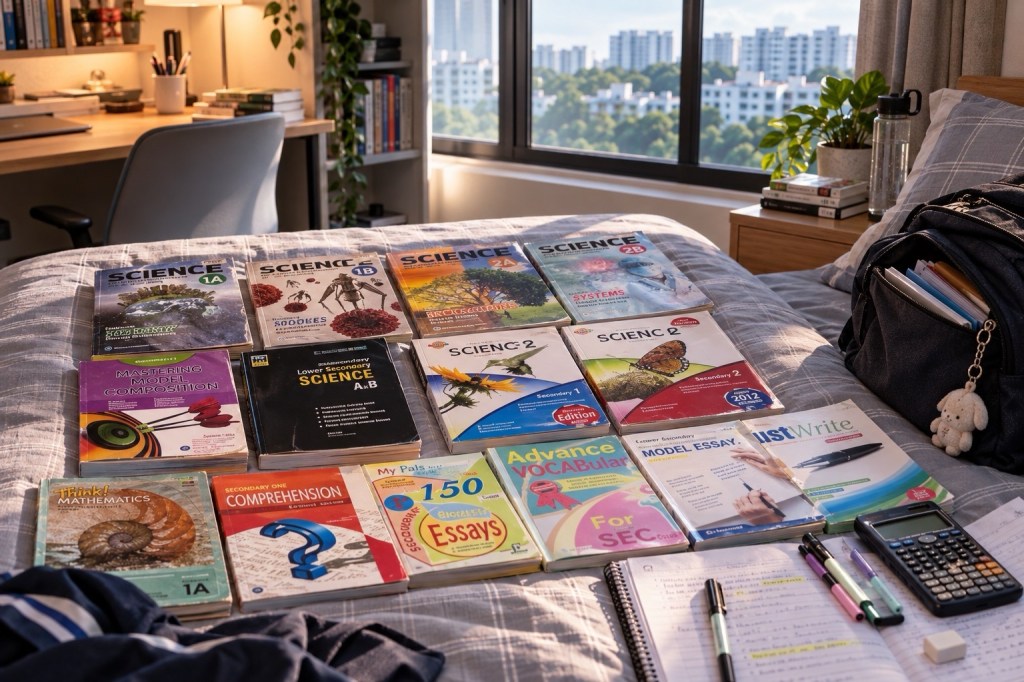
Where can a PG2 pupil in Sengkang find the correct Secondary 1 booklist and uniform information for 2027? On the school to which the pupil has actually been posted, through that school’s official website, orientation notice and Parents Gateway messages. PG2 means Posting Group 2 for admission: it does not determine one universal textbook package or uniform. The booklist must match the pupil’s actual G1/G2/G3 subjects and any more-demanding-level offers.
For the 2027 Secondary 1 intake, some MOE schools already published 2027 booklists by October 2026, while others said new Secondary 1 families should wait for posting results and subject-level confirmation. The published 2027 Dunman Secondary booklist explicitly asks new Secondary 1 parents to wait for confirmation of More Demanding Level subjects through Parents Gateway before purchasing. That is a useful caution for Sengkang households too: do not spend on the wrong books simply because a vendor opens online ordering early.
For parents in Fernvale, Compassvale, Rivervale and Anchorvale, the practical sequence is simple: receive the Secondary 1 posting, verify the correct school and campus, obtain the official 2027 orientation notice, check each subject and G level, confirm the booklist and uniform supplier, then settle payment, delivery or collection. This guide explains exactly what to check in Parents Gateway, how to avoid mistaken purchases, what to do if funds are tight and how to prepare a school bag without turning December into a last-minute crisis.
The 2027 Secondary 1 back-to-school checklist
- Confirm the posting. Save the official result, school name and assigned campus where relevant.
- Find the current school notice. Use the school’s website or official parent communication, not an undated parent-chat screenshot.
- Check subject-level allocation. Confirm G1/G2/G3 and any school offer to take a more demanding subject.
- Choose the correct 2027 booklist. Look for the child’s actual secondary level and subject combination.
- Check uniform and PE-attire instructions. Use the school’s prescribed supplier, sizing and collection process.
- Review payment and support. Confirm Edusave, school fees, financial assistance and the exact remaining amount.
- Activate official communication. Verify Parents Gateway access and the child’s later school learning accounts.
- Prepare the first-week bag. Follow the school orientation notice; do not carry every textbook on Day 1.
Why PG2 does not tell a bookseller what to supply
PG2 is the admission route under Full Subject-Based Banding. G2 is a subject level, and a learner may take different subjects at different levels where eligible. A student posted through PG2 could study English at G2 and Mathematics at G3. The corresponding textbooks, assessment materials and exercise books may differ. Buying one imagined ‘PG2 all-subject bundle’ can therefore waste money and create confusion.
Ask the school to confirm each relevant subject, G level and whether there is a choice between levels to be accepted by a deadline. Mark the booklist only after the final subject confirmation. If a school describes a More Demanding Level (MDL) offer, wait for the official result before ordering titles associated with the offered subject. The aim is to purchase exactly what the pupil will use, not to predict the hardest possible curriculum.
What official 2027 school booklist pages already show
School announcements illustrate why the year and school on the notice are essential. Compassvale Secondary’s announcements page includes a link labelled 2027 Booklist and Uniform Order Form (Sec 1 to Sec 5). Pei Hwa Secondary’s homepage lists a 2027 school booklist and uniform purchasing guide for existing Secondary 2–4 pupils and separate notices on financial assistance. These are specific school pages; they cannot be merged into a single universal Sengkang order list.
Outside the town, Dunman Secondary’s 2027 booklist notice says Secondary 1 parents should wait for MDL subject confirmation through Parents Gateway. Tanjong Katong Secondary’s 2027 sales page gives another example of school-specific supplier, online ordering, delivery charges and collection dates. The details differ, and some of that page’s earlier-year S1 links must not be misread as a final S1 2027 list.
| Published example | What it demonstrates | What a Sengkang parent should do |
|---|---|---|
| Compassvale Secondary 2027 announcements | A school may publish a dedicated 2027 list for its pupils | Open the actual 2027 notice and read the specified subjects and levels. |
| Pei Hwa Secondary 2027 notice | Not all new-cohort information appears on the same date | Distinguish an existing-pupil S2–S4 list from new Secondary 1 instructions. |
| Dunman Secondary 2027 booklist | MDL confirmation can be required before buying books | Wait for the receiving school’s subject-level approval or letter. |
| Tanjong Katong Secondary sales page | Vendor, delivery fee and collection dates are school-specific | Do not copy another school’s supplier or shipping price. |
How to read a school booklist without buying the wrong items
A booklist is an instruction sheet, not a shopping suggestion. Look for the academic year, school, secondary level, subject name, G level, compulsory/optional status and approved edition. Some lists contain a single combined page with separate G1/G2/G3 rows; others publish individual lists. Where a book is labelled for a subject the pupil is not taking, do not assume it is required merely because it appears under Secondary 1.
| Field on the booklist | Question to ask | Potential mistake |
|---|---|---|
| 2027 academic year | Is this current for my child’s incoming cohort? | Ordering from the 2026 archive. |
| Actual school | Is this the posted school and campus? | Using a neighbouring school’s PDF. |
| Subject and level | Is it G1, G2 or G3 for this pupil? | Buying G3 Mathematics for a G2 Mathematics pupil. |
| Textbook edition / ISBN | Does the listed edition match the vendor’s offer? | Buying an older edition with changed exercises. |
| Workbook / consumables | Will the child write in it, and is it compulsory? | Buying a second-hand consumable book already filled in. |
| Supplier / price | Which approved ordering method is valid? | Paying an unofficial reseller unnecessarily. |
| Collection or delivery | When and where must the order be collected? | Assuming all families share one pick-up slot. |
Uniform, PE attire and badges: what to confirm
The assigned secondary school determines its uniform, PE attire, footwear guidance and other dress-code requirements. Some schools specify separate PE tops, house shirts, name tags, ties or badges; others have different rules for students in particular activities. Families should verify the school’s current uniform guide rather than copy photographs of older cohorts, which may show outdated colours or items.
Where online uniform sales are available, use the school’s verified supplier and sizing chart. Measure before ordering, keep receipts and check whether exchanges are allowed. If the family buys extra sets, choose a practical quantity that can be washed and dried with the household’s weekly routine. More sets do not automatically make mornings smoother if the child has no consistent packing and laundry habits.
What is Parents Gateway and who can use it?
Parents Gateway is an official communication platform used by MOE schools to share school announcements, forms, consent requests and other information with parents and authorised caregivers. Access is generally through Singpass for eligible parents, legal guardians and authorised caregivers. If the family cannot access the app because of account or custody arrangements, contact the child’s school rather than trying to use another adult’s Singpass credentials.
The official Parents Gateway help page explains that access covers students in MOE kindergartens, primary and secondary schools, junior colleges and various other supported institutions. For a new Secondary 1 entrant, follow the new school’s onboarding and information notices; do not assume an existing Primary school form remains the right route after the posting changes.
The five kinds of Parents Gateway messages to check
- Welcome and orientation: reporting location, initial meetings, the first school-day programme and required materials.
- Subject offers: any option for G-level subjects at a more demanding level and the acceptance deadline.
- Administrative forms: data updates, permissions and acknowledgements, including the necessary official consent steps.
- Finance and procurement: approved payment, book and uniform instructions, financial assistance or school device procedures.
- School-life notices: timetables, CCAs, meetings, health and safety information, and later calendar changes.
Not every school sends these notices in the same sequence. Some publish a public welcome page while sending student-specific instructions privately. Check the school’s own instructions and use the designated official channel for queries. Keep personal student details inside secure school systems; an ordinary social media group is not a substitute for official parent communication.
Parents Gateway versus SLS versus student iCON
| Tool or channel | Main purpose | Who primarily uses it |
|---|---|---|
| Parents Gateway | School-home notices, consent and selected administrative tasks | Parents and authorised caregivers |
| Singapore Student Learning Space (SLS) | Digital lesson materials, assignments and learning resources | Students and teachers |
| Student iCON | MOE-managed student account and approved digital services | Students and school personnel |
| School website | Public calendar, notices, contact details and published resources | Students, parents and community |
| School general office | Help with administrative issues and official clarification | Parents, pupils and school staff |
A common problem is expecting the same account to solve every problem. If the parent cannot consent to a school activity, start with Parents Gateway. If the pupil cannot open a digital assignment, use the school’s SLS or account-support route. If a vendor’s payment fails, check the official sales contact and school instructions rather than changing passwords at random.
How to budget without assuming every fee is compulsory
Separate compulsory school items from recommended supplies and optional purchases. Books and uniforms should follow school lists; a study planner, extra stationery or premium bag may be convenient but not automatically necessary. Also separate the PLD procurement notice from the textbook and uniform bill, because devices are managed under a specific digital-learning process with possible Edusave and financial-assistance support.
Singapore Citizen students may have relevant Edusave payment options, and eligible families can apply for MOE financial assistance. The MOE Student Finance System provides an official route for education-account information. Ask the school for the full list of required expenses and any support options. Being admitted through PG2 is not a separate fee category and does not automatically make a student eligible for assistance.
Three realistic Sengkang preparation cases
Compassvale: the child receives a G3 Mathematics offer after the first order
A fictional family initially selected G2 Mathematics materials from a draft list. The school then confirms a more-demanding-level offer. Before making a second purchase, the parent contacts the school to check the final allocated level and asks the vendor about amendments or returns. The useful prevention is to wait for the school’s final subject confirmation whenever the notice requests that.
Fernvale: the uniform arrives in the wrong size
A family chooses a size by looking at the child’s current Primary 6 uniform, but the new supplier’s chart differs. The parent keeps the order number, checks the vendor’s authorised exchange process and avoids cutting off tags until fit is confirmed. If an exchange takes time, the family asks the school what is acceptable on the first reporting days rather than inventing a workaround.
Rivervale: Parents Gateway notifications are missed
One caregiver assumes another adult has seen the messages and the family misses a consent deadline. The solution is not to add ten new reminder apps. Agree who checks Parents Gateway at a particular time, keep a shared calendar of confirmed deadlines and use the school’s official help route when authorised caregiver access is unclear.
A one-week administrative plan after posting
| Day | Action | Proof that the task is complete |
|---|---|---|
| Day 1 | Confirm school, campus and reporting notice | Official posted-school link saved |
| Day 2 | Check official parent communication and access | Parents Gateway available or help requested |
| Day 3 | Confirm G-level subjects and pending offers | Subject list checked against school instructions |
| Day 4 | Read booklist, uniform and PE items | Only correct and compulsory items selected |
| Day 5 | Check payment and financial-assistance process | Orders or support applications submitted correctly |
| Day 6 | Plan school journey and collection logistics | Actual reporting route and collection plan |
| Day 7 | Pack a first-week essentials list | Child can explain what to bring and how to check changes |
What should a pupil carry on the first day?
The school may specify reporting documents, water bottle, stationery, orientation materials, PE clothes, or selected textbooks depending on the first-day schedule. Follow the school’s current notice. If no instruction says to bring all books, do not fill a heavy bag with the whole year’s texts. A smaller, clearly labelled folder for notices and a simple checklist may be more helpful than an impressive new bag.
The first school week should establish a repeatable routine: read tomorrow’s timetable, select only relevant books, pack the bag, check the school message channel and leave a margin for the morning journey. A pupil who can complete this sequence independently is becoming prepared for secondary school, even before the first weighted assessment.
Frequently asked questions
Does PG2 have its own uniform or textbook list?
No. Each school prescribes uniforms, and textbooks depend on the actual subject and G level. PG2 is the admission group, not a uniform or syllabus category.
Can I buy 2027 Secondary 1 books in October 2026?
Some schools publish lists early, but incoming pupils should follow their particular school’s instructions and wait for any required subject-level confirmation. Buying before posting and MDL decisions can result in wrong titles.
How do I access Parents Gateway if I am a guardian?
Follow the platform’s authorised-caregiver eligibility and school onboarding instructions. The child’s school can help where custody or access arrangements require clarification. Never share another adult’s Singpass credentials.
Do I need a new device on the first day?
Not necessarily. PLD ordering and rollout timing are determined by the school. Wait for the actual school device notice before buying any tablet or laptop.
What if I cannot afford the textbooks or uniforms?
Contact the school’s general office or student financial-assistance team and ask about MOE FAS and any other official support. Use the school’s application instructions; do not assume financial assistance is tied to PG2.
Can one family follow another school’s online vendor page?
Not safely. Prices, approved editions, collection dates and supplier contracts vary. Verify the posted school’s current 2027 notice before paying.
Official school examples and eduKate guides
- Compassvale Secondary: official announcements, including 2027 booklist and uniform link.
- Pei Hwa Secondary: current school announcements and 2027 booklist information.
- Dunman Secondary: 2027 booklists and MDL warning for new Sec 1 pupils.
- Tanjong Katong Secondary: school-specific 2027 purchasing and uniform arrangements.
- Parents Gateway help: authorised access and support.
- MOE Student Finance System.
- MOE Secondary 1 Posting.
- MOE SchoolFinder: official receiving-school information.
- eduKate Sengkang: PG2 versus G2 subject levels.
- eduKate Sengkang: Secondary 1 first 90 days, travel and CCA costs.
- The Complete Sengkang Guide.
Verified 6 November 2026. The 2027 examples are school-published snapshots and may change. They are not a universal Sengkang supplier list, a guarantee of book delivery, or a substitute for the child’s actual subject allocation and school instructions. Always use the posted school’s latest notice when ordering.
PG2 family resources — four more Sengkang guides: Foundation PSLE grades & PG2 eligibility · Secondary 1 PLDs, Edusave & digital safety · LEAPS 2.0 CCA bonus points & SEC pathways · The Complete Sengkang Guide. Consult the current school/MOE notice for cohort-specific requirements.
