
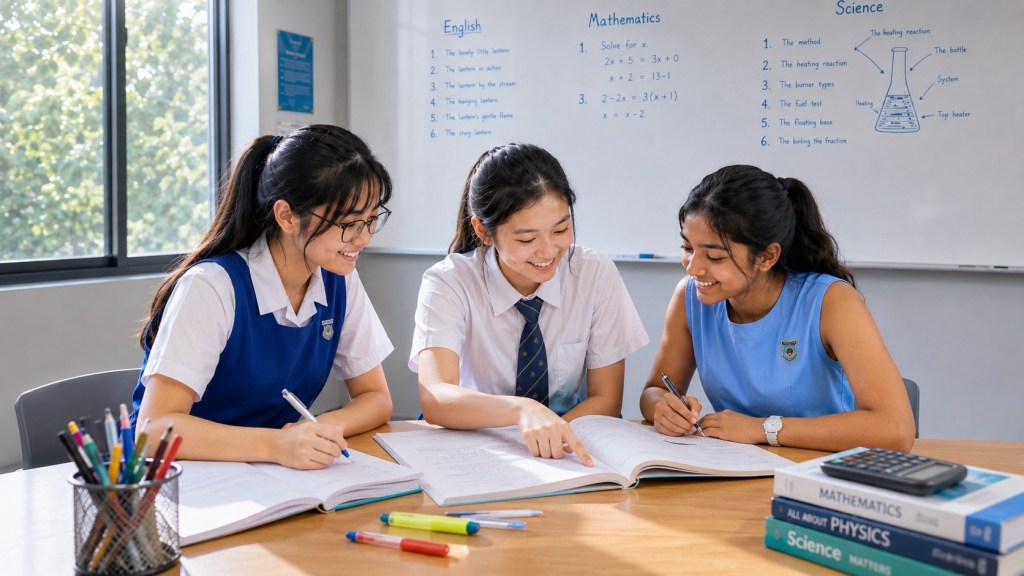
Multimedia learning involves making sense of information presented through combinations such as narration, written explanation, diagrams and animation. The important question is not whether the learner has watched the material. It is whether the learner can connect what was said with what was shown, explain the relationship and use it when the presentation stops. This guide examines those decisions through a worked animation lesson and a practical viewing routine. The routine is an educational proposal, not a tested package or a promise that video will outperform other teaching formats.
Use the How Learning Works mechanism map for the wider learning system. This article has a specific job: helping a learner work with information that arrives and disappears over time without mistaking a smooth presentation for independent understanding.
The explanation can move faster than the learner’s model
Imagine a student watching a geometry animation. A shape appears, a triangular piece moves across the screen, a rectangle forms and a formula arrives. The movement looks convincing. The student can repeat the formula, but cannot explain why the rearrangement leaves the area unchanged or which line represents the height.
The animation has displayed a transformation. The learner has not necessarily accounted for it. The next useful task is not automatically another viewing of the whole clip. It may be a pause at the cut, an explanation of the moved piece, or a new shape that tests whether the learner distinguishes perpendicular height from a sloping side.
This is an illustrative case, not a report about a particular student. It shows the measurement problem: a completed viewing session is evidence that the material was played, not evidence that every relationship was understood. Even a sincere statement that the explanation felt clear leaves open what the learner can now generate.
A useful multimedia lesson therefore needs two designs. One is the presentation: what appears, what is said and how the parts are coordinated. The other is the learner’s activity: what they predict, explain, check and attempt. A polished presentation can support that activity, but it cannot supply the learner’s independent response on their behalf.
Start with the relationship, not the medium
Before choosing a video, state what the learner should be able to do afterwards. In the geometry example, the goal might be to explain an area-preserving rearrangement and choose the appropriate base and perpendicular height. That is more specific than watching a lesson about parallelograms.
Now ask what movement contributes. An animation can show how a piece changes position. A static sequence can preserve the before, during and after states for comparison. A written explanation can state the conditions under which the rearrangement is valid. These are different contributions. The right combination depends on the explanatory problem.
Do not assume that every relationship needs motion. A learner comparing two equations may need both visible at once. A learner learning pronunciation may need access to sound. A learner inspecting a multi-step construction may need control over when the next step appears. The choice should follow what must be noticed and checked.
This is also why production quality is not a sufficient selection rule. An attractive presenter, fluent narration or elaborate transition does not establish mathematical or scientific accuracy. Before using a resource, inspect whether its explanation actually supports the target task and whether its conditions are stated clearly.
What learner control can—and cannot—establish
Tabbers and de Koeijer compared learner-paced and system-paced animated instruction with university students. The learner-control condition produced better transfer performance, but students also spent substantially more time on the material. The study did not establish that the benefit was a free gain in efficiency, and learners differed in how they used the controls. Read the original study.
The practical lesson is to make a pause purposeful rather than treating a pause button as an intervention by itself. Decide what the learner should do while the presentation is stopped. They might explain the last transition, identify the relevant quantity, predict the next state or write the exact point they cannot yet follow.
A pause with no learning task can simply interrupt the flow. A pause that requires too much unrelated writing can separate the learner from the explanation they were trying to understand. Choose a question that belongs to the current relationship, and restart when the response provides a sensible basis for continuing.
Count the whole study session when judging efficiency. A short clip watched several times with extensive note-making may require more time than a longer explanation followed by one useful task. Neither is automatically better. Compare what the learner can do afterwards, as well as the time and support required.
A worked animation lesson: why the sloping side is not the height
Consider a deliberately constructed parallelogram with a horizontal base of 7 units and perpendicular height of 3 units. Its upper edge is shifted 4 units to the right, so the sloping side is 5 units long. The familiar 3–4–5 right triangle makes these dimensions consistent. The area is 7 × 3 = 21 square units, not 7 × 5 = 35.
This is a mathematical illustration, not a filmed experiment. The purpose of a proposed animation is to show how the parallelogram can be cut and rearranged into a rectangle with the same base length and perpendicular height. No pieces are enlarged, discarded or overlapped in the completed rearrangement.
For a precise construction, take the vertices to be (0, 0), (7, 0), (11, 3) and (4, 3). A vertical cut from (4, 3) to (4, 0) separates the left triangle. Moving that triangle 7 units to the right fills the space at the right-hand side. The resulting rectangle runs horizontally from 4 to 11 and vertically from 0 to 3.
The coordinates are optional for younger learners. They make the example fully specified for a teacher checking the construction. The same lesson can use a labelled shape and an explanation of the cut. What must remain clear is that the rectangular height is the perpendicular distance between the parallel horizontal edges, not the sloping side.
Before pressing play, ask the learner to identify the base, the perpendicular height and the sloping side. If these are not yet understood, teach the distinction first. An animation that moves unfamiliar parts quickly does not remove the need to know what those parts represent.
Build the lesson around decisions the learner can inspect
The following storyboard is an original teaching proposal. Its checkpoints are chosen for this construction; they are not universal timings for instructional video. Each pause gives a particular piece of reasoning a place to happen.
| Stage | What the presentation should make clear | What the learner should do |
|---|---|---|
| Identify | The base is 7, the perpendicular height is 3 and the sloping side is 5. | Explain which two measurements will determine the rectangle’s dimensions. |
| Locate the cut | A vertical line separates the left triangular piece. | Predict where that piece could move to form a rectangle. |
| Move the piece | The triangle is translated without changing its size or shape. | State what changes and what remains unchanged during the movement. |
| Inspect the result | The pieces form a 7-by-3 rectangle without gaps or overlapping interiors. | Account for both pieces and explain why the total area is preserved. |
| Express the relationship | The area is base multiplied by perpendicular height. | Explain why multiplying by the sloping side would answer the wrong question. |
| Use a fresh case | A different parallelogram appears without the rearrangement being shown. | Identify the base–height pair and justify the area calculation. |
The first pause prevents the formula from arriving before the measurements have meaning. The second asks for a prediction about the transformation. The third separates moving a piece from changing its area. The fourth checks the completed arrangement rather than relying on the motion to feel persuasive.
A student can be correct at one checkpoint and uncertain at another. They may recognise the right height but not understand why the pieces preserve area. They may understand the rearrangement but multiply the wrong labelled lengths on a changed shape. Record the actual gap rather than treating the whole lesson as either understood or not understood.
The storyboard also protects against a misleading animation. A piece that stretches while moving may imply a different transformation. A camera angle that hides overlap may conceal a gap in the argument. The visual must agree with the mathematical explanation; smooth movement is not proof of an invariant.
Narration should identify the relationship at the point of use
Compare two proposed narrations. The first says, “Move this over here, and now use these two numbers.” The second identifies the moved triangle, the unchanged area, the resulting rectangle and the perpendicular height. Both may accompany the same animation, but the second gives the learner a more explicit account to inspect.
Words such as “this”, “that” and “here” can be clear while a pointer is visible and unclear when the learner looks away or reads a transcript. Name the relevant object when its identity matters. For this construction, “the vertical distance between the parallel edges” is more informative than “that side”.
Keep the relevant state available long enough for comparison. If the original parallelogram vanishes as soon as the rectangle forms, the learner cannot easily inspect what was retained. A small labelled before-and-after view can support the explanation without replaying the whole transition.
Do not narrate an essential exception while the display directs attention somewhere else. For example, stating that height is perpendicular while highlighting the sloping side invites a mismatch. In a script review, inspect the spoken claim and the visible referent together rather than checking the audio and graphics as unrelated products.
These are consistency checks for the proposed lesson. They do not claim that one particular animation speed or screen layout has been experimentally established as optimal. The requirement is simpler: the presentation should not ask the learner to reconcile contradictory or unidentified information.
Testing during a video: promising findings, but not a universal result
Szpunar, Khan and Schacter reported two experiments in which memory tests inserted into online lectures supported attention and learning. Their results included reduced task-irrelevant mind wandering and more task-relevant note-taking. The study gives a reason to investigate learner activity during viewing rather than judging the video only by its delivery. See the original research paper.
A later study by Welhaf and colleagues, involving 195 undergraduates, found a smaller reduction in task-unrelated thoughts for interpolated testing compared with restudy, without supporting Bayes-factor evidence for that attention effect. It found no statistical evidence of a learning benefit from interpolated testing in its design. The result argues against promising that inserting quizzes will reliably solve attention and learning problems in every video lesson. Read the later study and its stated limitations.
For the geometry lesson, use questions because they reveal the particular understanding required. “Which length is perpendicular to the base?” has a diagnostic job. A trivia question unrelated to the construction does not test the same knowledge merely because it interrupts viewing.
Inspect the question’s support. A multiple-choice answer can be recognised from visible labels. An explanation can require the learner to connect those labels to the relationship. Neither format is inherently sufficient for every goal. Choose the response that provides evidence about the intended capability.
Do not turn every short segment into an examination. A learner who is meeting unfamiliar terminology may first need a clear explanation and a supported response. A later checkpoint can reduce the support. The purpose is to learn what the student can carry, not to accumulate quiz scores that obscure where help is still needed.
Replay a question, not just a time interval
After an unsuccessful explanation, identify what the replay should resolve. “Why was the cut vertical?” is a more useful replay question than “Watch the whole thing again.” A specific question gives the learner a feature to inspect and provides a stopping point when that feature becomes clear.
In the parallelogram example, the learner might replay the moment when the triangle reaches the right-hand side. Ask them to check for gaps, overlaps and changes in size. Then stop the clip and ask for the reason the area stays the same. The explanation should not depend on repeating the narrator’s final sentence word for word.
If replay does not clarify the question, change the form of support. A static drawing, a physical paper model or a direct explanation may make the missing relationship easier to inspect. Repeating the same presentation indefinitely is not a requirement of learning from multimedia.
Some uncertainty belongs in a question queue. A learner may wonder how the animation was produced while the current task concerns area. Preserve that question for another time if it does not block the mathematical explanation. Curiosity should not have to be discarded, but every interesting question need not interrupt the same learning objective.
The replay is complete when the learner can give a better account or identify the remaining gap more precisely. A second completed viewing is not, by itself, evidence that either has happened.
Captions are an access route, not expendable decoration
W3C’s accessibility guidance describes captions as synchronised text representing the speech and relevant non-speech audio needed to understand content. They are important for learners who cannot access the audio reliably, including Deaf and hard-of-hearing learners. Do not remove a necessary access route on the basis of a simplistic claim that all repeated text is harmful. W3C’s guidance on captions and subtitles.
Accuracy matters. W3C warns that automatic captions require checking; a missing negation can reverse meaning. In the proposed geometry lesson, confusing “height” with another term or omitting “not” from a warning about the sloping side would alter the explanation. Treat captions as part of the instructional content that must agree with the audio and visual. The guidance explains the limitation of unchecked automatic captions.
For the lesson designer, inspect whether the caption covers the measurement or moving piece being discussed. For the learner, use the available access options that make the explanation usable. The objective is not to force everyone to watch through the same combination of channels.
A learning check should also preserve access. Removing captions from a later task is not a valid test of geometrical independence when captions are needed to receive its instructions. Remove temporary answer hints, not the means by which the learner obtains the question.
A transcript must not lose the essential visual information
W3C distinguishes a basic transcript of necessary audio information from a descriptive transcript that also includes the visual information needed to understand the material. A word-for-word record of speech may therefore be incomplete when important steps are shown but never described. Read the transcript guidance.
For the geometry lesson, a transcript containing only “move this here” and “now it is a rectangle” leaves out the transformation. A useful description identifies the triangular piece, its translation, the final dimensions and the fact that the pieces fit without changing their areas.
Keep editorial additions distinguishable from spoken words. A learner reading an expanded description should know which text explains a visual event rather than pretending that every sentence was heard in the original audio. This is a practical matter of faithful representation, not a demand for decorative production notes.
A transcript can also provide a different working surface. A learner can mark an uncertain term, compare two explanations or inspect a condition that passed quickly in the video. That is a useful option to test when time-based presentation itself is making the task difficult.
Playback speed should follow evidence from the learner’s response
This guide does not prescribe one playback speed for every learner, subject or purpose. Reviewing familiar material and encountering an unfamiliar construction are different tasks. A speed that permits recognition of words may still leave too little opportunity to inspect a changing relationship.
Use an operational check: after a meaningful segment, can the learner explain the transition without simply replaying it? If not, determine whether the obstacle is pace, unfamiliar vocabulary, a missing prerequisite or an inaccurate interpretation. Slowing down cannot supply knowledge that the presentation never explained.
Likewise, do not choose clip length from an unsupported universal attention-span rule. A short clip can be conceptually dense. A longer one can contain useful boundaries and examples. The relevant question is whether the lesson can be divided into coherent parts that the learner can inspect and use.
When comparing viewing choices at home, keep the conclusion modest. A learner performing better after a slower second viewing has also had another exposure. That observation does not isolate playback speed as the cause. It can still inform the next practical choice without becoming a general claim about all students.
Notes should preserve the decisions that are easy to lose
For the proposed lesson, a useful note might read: “Use perpendicular height, not the sloping side. The cut-and-translate rearrangement preserves area because the same pieces form the rectangle.” It records the distinction and the reason, not every spoken word.
Another learner may need a before-and-after sketch with the base and height labelled. Someone else may need the precise question they could not answer. Select the note form according to the gap. A long transcript copied during the moving explanation may leave no evidence that the transition was understood.
Separate capture from checking. During a demonstration, mark the point that requires attention. At a suitable pause, explain it in your own account and compare that account with the source. Do not add an unsupported reason merely to make the notes feel complete.
The note should provide a useful return point, not become permanent permission to avoid producing an answer. At the next session, begin with a fresh question. Consult the note to repair a revealed gap rather than assuming that rereading it demonstrates the capability.
Test what remains when the video ends
Use a new parallelogram with a base of 9 units and a clearly marked perpendicular height of 4 units. Its area is 36 square units. Include an additional sloping-side measurement that is not needed for the calculation. Ask the learner which pair of measurements matters and why.
Then rotate the drawing. The relevant geometric relationships do not change simply because the page orientation changes. Ask the learner to identify a valid base and its corresponding perpendicular height, rather than relying on the bottom-looking edge and the most familiar label.
For an explanation check, ask what made the original rearrangement legitimate. The learner should account for the pieces, the absence of gaps and overlap in the completed rectangle, and the preserved dimensions. Recalling that a triangle moved is not the same as explaining why the area calculation follows.
For a boundary check, show a proposed rearrangement that enlarges one piece. Ask whether the original area can still be read from the new rectangle. The answer should identify why changing a piece’s area breaks the earlier justification. This separates knowledge of the principle from memory of an attractive animation.
A later return should use another example rather than merely the original end frame. These tasks can reveal whether the learner’s account survives changed cues. They do not, by themselves, establish that video caused more learning than an equally well-designed static lesson.
A practical viewing routine for students and parents
Before viewing: write the learning question. Check that the key terms and symbols are usable. Decide what a successful response would look like after the lesson. “Explain why the area is base times perpendicular height” gives a clearer target than “finish the video”.
During viewing: pause at a meaningful decision or transition, not at arbitrary intervals. Predict what should happen, explain what just happened or identify the first unclear relationship. Use a replay to inspect that relationship. Preserve access features throughout.
After viewing: close the explanation and attempt a fresh task. Compare the response with an appropriate solution or explanation. Record the missing relationship and revisit the relevant part of the resource. A task that remains unclear may need another form of instruction, not another complete replay.
At the next return: ask for the capability again with fewer teaching prompts. Keep any information legitimately required by the task. A supplied diagram in a geometry question is not the same as a worked answer; removing both indiscriminately would change what is being assessed.
For a parent, a useful question is: “What can you explain now that you could not explain before the clip?” Ask for an example. If the child cannot answer, treat it as information about the next teaching step, not proof that they were deliberately inattentive.
Different difficulties need different repairs
If the learner cannot identify the terms, teach the prerequisite vocabulary. If the objects are understood but their movement is unclear, inspect a paused transition or a static sequence. If the movement is clear but the justification is missing, ask for the invariant and explain why it matters.
If the learner can explain the familiar example but fails on a changed one, investigate which cue was carrying the earlier response. If they cannot access the narration or captions accurately, repair that access problem before inferring a conceptual weakness. If the source contradicts itself, find a trustworthy explanation rather than requiring the learner to reconcile an error.
These are working hypotheses about the observed task. Test them with a small change and inspect the response. “Cannot learn from videos” is usually too broad a conclusion to follow from one unsuccessful lesson. So is “video is the best method” after one successful viewing.
The medium is one part of the design. Content accuracy, representation, access, prior knowledge, learner activity and the later task all contribute to what the session can show. A responsible evaluation keeps these parts visible instead of crediting the screen with every success or blaming it for every difficulty.
The real endpoint is a usable explanation
A good animation can make a transformation visible. A clear voice can identify its important parts. Captions and descriptive text can make the information accessible through other routes. The learner still has to connect those parts and use the relationship.
For the worked example, the endpoint is not the final rectangle on the screen. It is the learner who can explain why the rearrangement preserves area, distinguish height from a sloping side, and justify the calculation on another shape. That capability is what the viewing activity was meant to support.
Do not ask only whether the lesson was watched. Ask what the learner can now explain, check or solve without the lesson doing the thinking for them. That question keeps multimedia connected to education rather than merely to content consumption.
Research record and further routes
Tabbers and de Koeijer (2010), Learner Control in Animated Multimedia Instructions, examines learner pacing and reports both transfer and time-on-task considerations. Szpunar, Khan and Schacter (2013) reports encouraging results for tests inserted into online lectures. Welhaf and colleagues (2022) provides a later, more qualified result. Their differences should remain visible rather than being reduced to a universal rule.
W3C’s captions guidance and transcript guidance inform the access discussion. The parallelogram construction, storyboard and viewing routine are original educational illustrations. The geometry follows from the specified construction; the complete routine has not been tested as a measured intervention in this article.
Continue to Working Memory when the learner loses track of changing information, Self-Explanation when the displayed relationship cannot be explained, and Help-Seeking when a specific gap needs support. Return to How Learning Works to select the next article from the learner’s actual difficulty.
